-
Shop
- Advanced Technologies
- AI Skills Mastery 2026 Collection
- Apple Accessories
- Arts, Crafts & Hobbies
- Best-Sellers
- Calvin Klein
- Car Accessories
- Christmas Collection
- Dating & Social Skills
- Denim
- 7FOR
- AGOLDE
- Antony Morato
- Armani Exchange
- Boss
- Brunello Cucinelli
- Calvin Klein Jeans
- Costume National
- Desigual
- Diesel
- Dolce & Gabbana
- Dsquared²
- Ermanno Scervino
- Fendi
- Gianni Lupo
- Guess Jeans
- Ichi
- Just Cavalli
- Lee
- Levi's
- Liu Jo
- Morgan De Toi
- Mother Denim
- Only
- Pepe Jeans
- Pinko
- Replay
- Tommy Hilfiger Jeans
- Valentino
- Vero Moda
- Digital Resources
- Car Buying & Ownership
- Cozy Feast Collection
- Emotional Intelligence
- Financial Education
- Home Styling & Organization
- Mindfulness
- Mindset
- Parenting & Child Development
- Pet Lifestyle & Wellness
- Positive Thinking
- Productivity
- Self Confidence
- Sleep Improvement
- Stress Management & Relaxation
- Travel Planning
- Yoga & Fitness
- Yoga & Mind-Body Practices
- Education & Learning
- Family & Parenting
- Fashion
- Accessories
- Alexander McQueen
- Bags
- Bags & Wallets
- Balenciaga
- Belts
- Blazers
- Blouses & Shirts
- Bottega Veneta
- Bottoms
- Brunello Cucinelli
- Burberry
- Chanel
- Chloé
- Dior
- Dolce & Gabbana
- Dresses
- Etro
- Gucci
- Hats & Hair Accessories
- Hoodies & Sweatshirts
- Jacquemus
- Jewelry
- Jil Sander
- Jimmy Choo
- Kiton
- Luggage
- Luggage Bags
- Men's Fashion
- Miu Miu
- Off-White
- Outerwear
- Prada
- Rick Owens
- Saint Laurent
- Skirts
- Socks & Tights
- Sunglasses
- Sweaters & Cardigans
- The Row
- Tom Ford
- Tops & Shirts
- Valentino Garavani
- Versace
- Vivienne Westwood
- Watches
- Fashion Accessories
- Furniture
- Gadgets
- Health & Beauty
- Health & Wellness
- Home & Garden
- Home Supplies
- Kids & Babies
- Lighting
- Patio, Lawn & Garden
- Personal Growth
- Pet Care
- Pet Supplies
- Pets
- Shoes
- Sport & Outdoors
- Super Deals
- Thanksgiving Digital Collection
- AI & Tech-Enhanced Thanksgiving
- Budgeting & Smart Shopping
- Eco-Friendly & Sustainable Thanksgiving
- Family & Kids
- Gift Ideas Guides
- Gratitude & Mindfulness
- History & Meaning
- Hosting & Planning
- Leftovers & Storage
- Pets & Thanksgiving
- Social Media Captions & Ideas
- Thanksgiving DIY Ideas
- Thanksgiving Recipes
- Thanksgiving Products
- Travel
- Wealth
- Wealth Building
- Budgeting & Saving
- Cryptocurrency Investing
- Debt Management
- Entrepreneurship & Business Growth
- Family Finance & Budgeting
- Financial Independence
- Financial Mindset & Psychology
- Financial Planning
- Frugal Living & Expense Hacks
- Goal Setting
- High-Income Skills
- Investing Basics
- Leadership
- Motivation
- Networking & Mentorship
- Passive Income Strategies
- Real Estate Investing
- Side Hustles
- Stock Market Investing
- YouTube Shorts Best-Sellers
WiFi + 4G Home Alarm Kit: Touchscreen, Long-Life Sensors
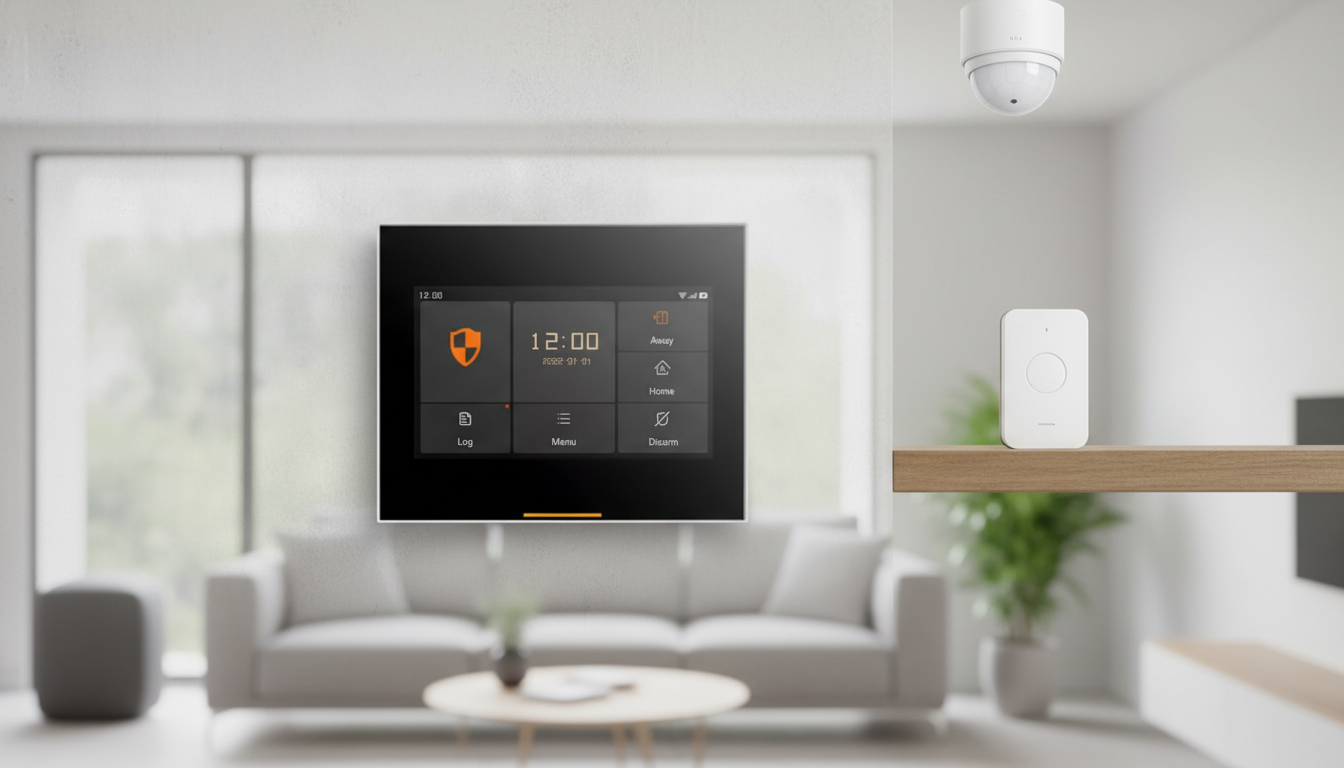
Wireless WiFi + 4G Home Alarm Systems: Touchscreen Control and Long-Life Sensors for Everyday Protection
A home alarm system is easiest to rely on when it stays connected during outages, is simple to arm/disarm quickly, and uses sensors that don’t need constant battery changes. A wireless WiFi + 4G kit with a touchscreen and long-life sensors is built for that kind of real-world routine: quick daily control at the door, flexible placement without opening walls, and a second communication path when home internet gets flaky.
If you’re comparing options, start with the essentials: how the system detects entry, how it communicates alerts, and how much maintenance the sensors will demand over time.
What This Type of Alarm System Is Designed to Do
This category of system focuses on reliable intrusion detection and practical daily usability.
- Provide day-to-day intrusion awareness using door/window and motion sensing, with alerts routed through a central panel.
- Support flexible installation without running wires through walls, making it suitable for renters and homeowners.
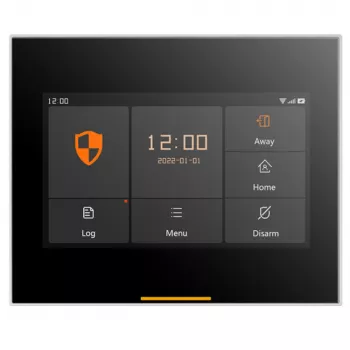
- Keep the system usable for everyone in the household with a clear touchscreen interface for arming modes and status checks.
- Maintain communication redundancy by combining local internet connectivity (WiFi) with cellular fallback (4G) when configured.
For homeowners who want a straightforward kit-style option, consider the Wireless WiFi 4G Home Alarm System with Touchscreen and Long-Life Sensors, which is designed around these core needs: quick control at the panel and consistent sensor coverage throughout the home.
Connectivity That Holds Up: WiFi + 4G as a Backup Path
Connectivity is where modern alarm kits either feel effortless or frustrating. Most systems rely on WiFi for normal operation: app access, push notifications, and remote checks. Adding 4G capability can provide a backup route for alerts when the primary internet connection is down (or when a router is unplugged), but only if cellular service is available and properly configured.
- WiFi is typically used for everyday app access, notifications, and remote status viewing when home internet is working normally.
- 4G cellular capability can help maintain alert delivery if the primary internet connection goes down or the router is unplugged (service and configuration requirements may apply).
- Place the control panel where it can maintain a stable WiFi signal; avoid enclosing it in cabinets or behind large metal objects.
- Confirm cellular coverage in the installation area and understand any SIM/subscription needs before relying on 4G for critical alerts.
- Consider power resilience: pairing dual-path connectivity with a backup power plan helps maintain coverage during outages.
Quick Connectivity Check Before Installing
| Item to verify | Why it matters | What to do |
|---|---|---|
| WiFi signal strength at panel location | Prevents dropouts and delayed notifications | Test with a phone at the intended mounting spot; move closer to the router if weak |
| 4G coverage indoors | Ensures cellular fallback can actually send alerts | Check carrier coverage maps; test signal near where the panel will sit |
| Router stability and placement | Reduces false offline/online cycles | Keep the router elevated and central; update firmware if needed |
| Power-outage plan | Maintains system availability when electricity fails | Use battery backup where supported and keep the panel in an accessible location |
For general guidance on home security communications and safety basics, the FCC’s consumer guide to home security is a useful reference point.
Touchscreen Control: Faster Daily Use, Fewer Mistakes
A touchscreen panel isn’t just a “nice-to-have” feature; it can reduce everyday friction. Clear on-screen status, mode selection, and sensor labels can help prevent the common problems that lead to missed arming or accidental alarms.
Long-Life Sensors: What “Long Life” Means in Practice
For connected devices on your home network, basic security hygiene helps keep your system dependable. The NIST home cybersecurity resources provide practical best practices like updating firmware, using strong passwords, and keeping your router secured.
Room-by-Room Placement That Improves Coverage
Suggested Sensor Priorities by Area
| Area | Recommended sensor type | Placement notes |
|---|---|---|
| Front/Back doors | Door contact | Mount aligned with the door frame; ensure firm closure alignment |
| Ground-floor windows | Window contact | Prioritize windows hidden from street view or near fences/decks |
| Main hallway | Motion | Aim across the hallway rather than straight down it where possible |
| Garage entry | Door contact + motion (optional) | Cover the interior door; consider motion if garage is frequently accessed |
Setup Steps That Prevent Common Headaches
When This System Fits Best (and When to Consider Other Options)
For buyers who also like adding smart, interactive tech around the home, the Smart AI Interactive Emotional Robot Companion for Kids and Adults is another in-stock option often chosen for family spaces—separate from security, but aligned with the idea of a more connected household.
For additional context on product testing and certification, UL’s standards and safety information can help when evaluating electronics used in the home.
FAQ
Will the alarm still send alerts if the WiFi goes out?
If the system is configured with 4G cellular service and there’s adequate indoor coverage, it can often deliver alerts through the cellular path when WiFi or the router goes down. Confirm any SIM or subscription requirements ahead of time and test the fallback connection after installation.
How often do long-life sensors need battery replacement?
It varies by sensor type, how often it’s triggered, temperature swings, and the battery chemistry used. A practical routine is to review the sensor/battery status monthly and replace batteries promptly when the system reports a low-battery warning.
Where should the touchscreen panel be installed?
Install it near the primary entry where people naturally arm/disarm, at a comfortable height, and where WiFi signal is strong. Avoid hiding it in cabinets or behind metal objects, and test signal strength at the mounting spot before committing.
Recommended for you


Was this article helpful?
Yes
No









Leave a comment