-
Shop
- Advanced Technologies
- AI Skills Mastery 2026 Collection
- Apple Accessories
- Arts, Crafts & Hobbies
- Best-Sellers
- Calvin Klein
- Car Accessories
- Christmas Collection
- Dating & Social Skills
- Denim
- 7FOR
- AGOLDE
- Antony Morato
- Armani Exchange
- Boss
- Brunello Cucinelli
- Calvin Klein Jeans
- Costume National
- Desigual
- Diesel
- Dolce & Gabbana
- Dsquared²
- Ermanno Scervino
- Fendi
- Gianni Lupo
- Guess Jeans
- Ichi
- Just Cavalli
- Lee
- Levi's
- Liu Jo
- Morgan De Toi
- Mother Denim
- Only
- Pepe Jeans
- Pinko
- Replay
- Tommy Hilfiger Jeans
- Valentino
- Vero Moda
- Digital Resources
- Car Buying & Ownership
- Cozy Feast Collection
- Emotional Intelligence
- Financial Education
- Home Styling & Organization
- Mindfulness
- Mindset
- Parenting & Child Development
- Pet Lifestyle & Wellness
- Positive Thinking
- Productivity
- Self Confidence
- Sleep Improvement
- Stress Management & Relaxation
- Travel Planning
- Yoga & Fitness
- Yoga & Mind-Body Practices
- Education & Learning
- Family & Parenting
- Fashion
- Accessories
- Alexander McQueen
- Bags
- Bags & Wallets
- Balenciaga
- Belts
- Blazers
- Blouses & Shirts
- Bottega Veneta
- Bottoms
- Brunello Cucinelli
- Burberry
- Chanel
- Chloé
- Dior
- Dolce & Gabbana
- Dresses
- Etro
- Gucci
- Hats & Hair Accessories
- Hoodies & Sweatshirts
- Jacquemus
- Jewelry
- Jil Sander
- Jimmy Choo
- Kiton
- Luggage
- Luggage Bags
- Men's Fashion
- Miu Miu
- Off-White
- Outerwear
- Prada
- Rick Owens
- Saint Laurent
- Skirts
- Socks & Tights
- Sunglasses
- Sweaters & Cardigans
- The Row
- Tom Ford
- Tops & Shirts
- Valentino Garavani
- Versace
- Vivienne Westwood
- Watches
- Fashion Accessories
- Furniture
- Gadgets
- Health & Beauty
- Health & Wellness
- Home & Garden
- Home Supplies
- Kids & Babies
- Lighting
- Patio, Lawn & Garden
- Personal Growth
- Pet Care
- Pet Supplies
- Pets
- Shoes
- Sport & Outdoors
- Super Deals
- Thanksgiving Digital Collection
- AI & Tech-Enhanced Thanksgiving
- Budgeting & Smart Shopping
- Eco-Friendly & Sustainable Thanksgiving
- Family & Kids
- Gift Ideas Guides
- Gratitude & Mindfulness
- History & Meaning
- Hosting & Planning
- Leftovers & Storage
- Pets & Thanksgiving
- Social Media Captions & Ideas
- Thanksgiving DIY Ideas
- Thanksgiving Recipes
- Thanksgiving Products
- Travel
- Wealth
- Wealth Building
- Budgeting & Saving
- Cryptocurrency Investing
- Debt Management
- Entrepreneurship & Business Growth
- Family Finance & Budgeting
- Financial Independence
- Financial Mindset & Psychology
- Financial Planning
- Frugal Living & Expense Hacks
- Goal Setting
- High-Income Skills
- Investing Basics
- Leadership
- Motivation
- Networking & Mentorship
- Passive Income Strategies
- Real Estate Investing
- Side Hustles
- Stock Market Investing
- YouTube Shorts Best-Sellers
Mini 720P WiFi Camera Guide: Setup, Placement, Alerts
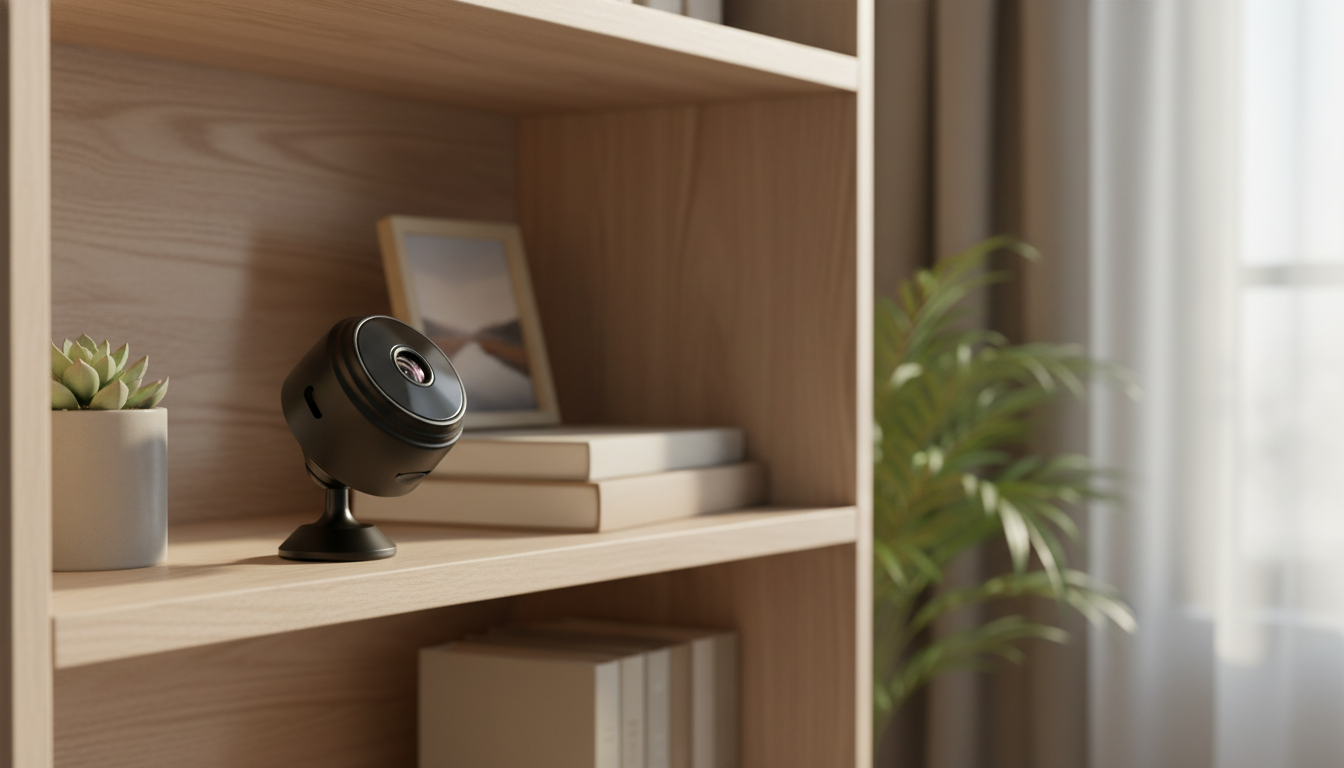
Mini HD 720P WiFi Camera for Simple Home Monitoring
A compact WiFi camera can cover everyday needs like checking a room, monitoring a doorway, or keeping an eye on pets—without complicated installation. This guide breaks down what matters most in an HD 720P mini WiFi camera, how to set it up for reliable use, and how to place and maintain it for clearer video and fewer connection issues.
What a Mini HD 720P WiFi Camera Is Best For
A mini 720P WiFi camera is designed for practical, day-to-day visibility—especially indoors—when you want quick confirmation of what’s happening without committing to a large multi-camera setup.
- Indoor spot monitoring: quick visibility into a single area such as a living room, hallway, nursery, garage corner, or office desk.
- Pet checks and routine supervision: confirm activity or rest without needing a full multi-camera system.
- Travel and temporary setups: small footprint makes it suitable for short-term use in rentals, dorms, or while moving.
- Supplementing an alarm system: adds visual confirmation to motion alerts or entry events.
- Limitations to keep in mind: 720P is practical for general viewing, but fine facial detail at long distance and license-plate capture typically require higher resolution and strong lighting.
Quick Snapshot: What to Look For in a 720P Mini WiFi Camera
| Feature | Why it matters | Practical target |
|---|---|---|
| Resolution | Determines clarity for faces, objects, and reading small text up close | 720P for general monitoring; higher for detailed identification |
| WiFi band | Impacts range and compatibility with routers | 2.4 GHz for broader compatibility and better wall penetration |
| Night vision / low-light | Maintains usable video after dark | Clear low-light footage with minimal glare from reflective surfaces |
| Storage | Controls how footage is saved and reviewed | Local card storage and/or app-based recording options |
| Power | Affects placement and uptime | Stable power source; plan cable routing for continuous use |
| App features | Determines alerting, playback, and sharing | Motion alerts, live view, playback timeline, multi-device access |
Key Features That Matter Day to Day
Video clarity and field of view
HD 720P is often enough to confirm movement, recognize familiar faces at close range, and see whether a door opened—especially in decent lighting. For best results, place the camera closer to the action (entry path, pet area, or a specific shelf/desk) rather than trying to cover an entire large room from one far corner.
Motion alerts that don’t overwhelm you
Motion detection is only “smart” when it’s tuned to your space. Reduce false alerts by lowering sensitivity, shrinking motion zones (if available), and avoiding views with constant movement like ceiling fans, flickering TVs, or high-contrast shadows. A reliable trick is positioning so motion travels across the frame (left-to-right) instead of straight toward the lens.
Audio: helpful, but handle with care
If your camera supports audio, confirm whether it’s one-way listening or two-way talk. Also consider privacy: audio recording can be restricted in some situations, especially in shared spaces or when guests are present.
Connectivity stability (the real make-or-break)
Even a great camera struggles with weak WiFi. 2.4 GHz networks typically reach farther and handle walls better than 5 GHz, making them a common match for mini cameras. If you live in a dense apartment building, interference from neighboring networks can also cause lag or disconnects.
Basic privacy controls
Look for the ability to change default passwords, control who can access the feed, and run on a secured home network. Helpful, plain-language guidance is available from CISA: Securing Your Home Network and Wi‑Fi Alliance: WPA2/WPA3 security.
Setup Checklist for a Smooth First Day
- Start near the router: initial pairing is easiest within strong WiFi range; move the camera to its final location after setup is complete.
- Use a secure WiFi network: enable WPA2 or WPA3 on the router, avoid open networks, and set a unique WiFi password.
- Update the app and device firmware if available: fixes connectivity bugs and can improve stability.
- Name the camera by location: examples include “Front Door Corner” or “Living Room Shelf” for faster alert recognition.
- Test real conditions: check video quality during daytime and nighttime, then adjust placement to minimize glare, reflections, or backlighting from windows.
Placement Tips for Better Video and Fewer False Alerts
Storage, Playback, and Daily Use Habits
When to Pair a Camera With a Broader Security Setup
Recommended In-Stock Options
| Product | Price | Availability |
|---|---|---|
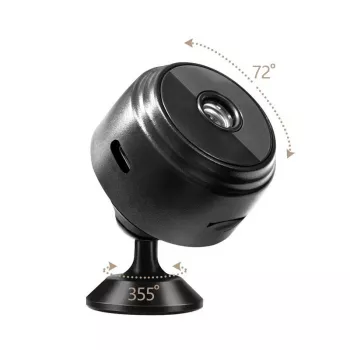
| Mini HD 720P WiFi Camera | $3.51 USD | In stock |
| Wireless WiFi 4G Home Alarm System with Touchscreen and Long-Life Sensors | $156.01 USD | In stock |
FAQ
Is 720P enough for home monitoring?
Yes for general awareness—seeing motion, checking whether someone entered, and recognizing familiar faces at close range in good lighting. For finer identification at a distance, higher resolution, stronger lighting, and closer placement typically make a noticeable difference.
Why does a WiFi camera disconnect or lag?
Common causes include weak signal, 2.4 GHz congestion, distance and walls, nearby interference, or inconsistent power. Quick fixes include moving the camera closer to the router, repositioning the router higher and more central, adjusting WiFi channels, and keeping the app/firmware updated.
Where should a small indoor camera be placed for the best view?
Mount it on a stable surface at about face height, aimed across the main walking path rather than straight toward it. Avoid strong backlight from windows and reduce night glare by keeping mirrors, glass, and glossy screens out of the camera’s direct view.
Recommended for you


Was this article helpful?
Yes
No






Leave a comment